

Getting data into your CRM shouldn't feel like a chore. At MRSware, the goal is to make information capture as seamless as possible, allowing you to focus on building relationships rather than managing spreadsheets.
Our latest infographic, Ways to Get Data into MRSweb CRM Application, highlights the flexible methods available to ensure your data is always where you need it:
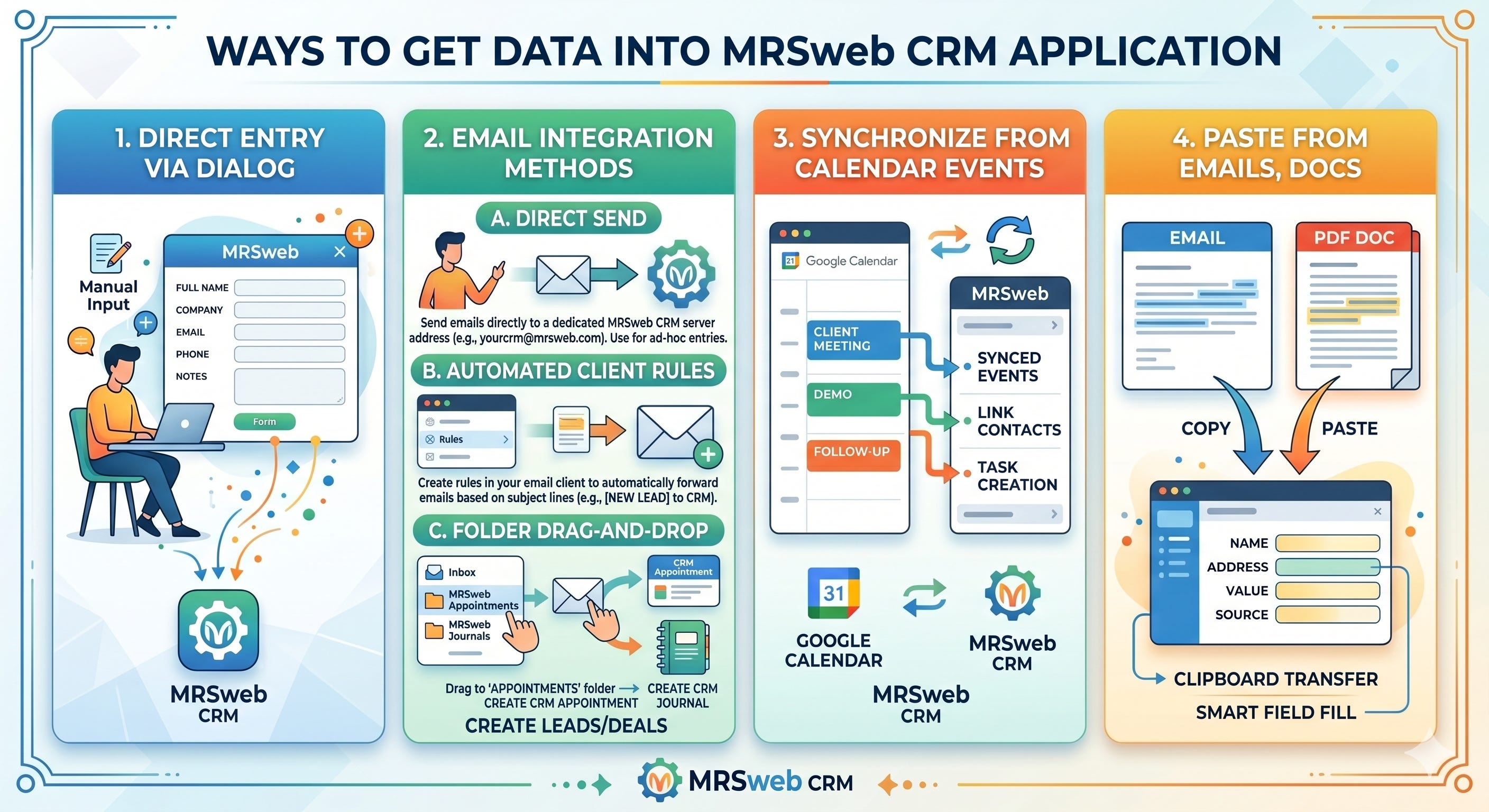
Direct Entry via Dialog: For those who prefer a hands-on approach, you can manually input data through intuitive forms directly within the MRSweb interface.
Comprehensive Email Integration: We’ve expanded how you interact with your inbox. You can now:
Directly Send: Email information straight to a dedicated CRM server address.
Automate with Rules: Set up rules in your email client to automatically forward messages with specific subject lines.
Folder Drag-and-Drop: Simply move an email into a designated folder to automatically generate CRM appointments or journals.
Google Calendar Synchronization: Keep your schedule in sync by automatically pulling meetings, contact links, and task creations directly from your calendar events.
Smart Clipboard Transfer: Quickly move data from emails or PDFs using smart field-fill technology—just copy and paste to populate your CRM records instantly.
Whether you are automating your workflow through email rules or syncing your daily schedule, these tools are designed to keep your business organized and efficient.